Production video stack
Browser-native WebRTC, MiriCast higher-quality streaming capabilities, adaptive bitrate, 1080p, optional 2K/4K GPU transcoding, OBS, recording, replay and RTSP workflows.
Miricam is more than its live-video layer. This reference documents the streaming, billing, performer, payment, accounting, compliance, tenant, analytics and inventory systems available to a serious operator. Click any feature below for the technical and operating detail, or return to the commercial overview.
The value is in how the systems work together: a WebRTC session drives per-second billing; billing produces customer, performer and operator records; those records feed accounting, payouts, analytics and compliance administration.
Browser-native WebRTC, MiriCast higher-quality streaming capabilities, adaptive bitrate, 1080p, optional 2K/4K GPU transcoding, OBS, recording, replay and RTSP workflows.
Private and group sessions, per-second metering, balance enforcement, tipping, subscriptions, paid content and customer spending in dollars or branded tokens.
Performer onboarding, rate and commission controls, earning events, invoices, payout requests, reserves, chargebacks, reconciliation and tenant settlements.
ViewerIQ, customer segmentation, churn indicators, lifetime value, cohort reporting, anomaly detection, forecasting and direct access to underlying business data.
Miricam uses WebRTC as its broadcast protocol, which means performers stream directly from their browser camera without installing anything. WebRTC is built into every modern browser (Chrome, Firefox, Safari, Edge), so there is no plugin to download, no desktop app to install, and no third-party account to create. Latency is sub-second, which matters for real-time interaction: when a customer types a message and a performer responds, both parties experience the exchange as a live conversation rather than a delayed replay.
The media server layer runs on AntMedia Server, which handles signalling, WebSocket connections, and stream distribution to multiple viewers simultaneously. A single performer stream can serve hundreds of concurrent viewers without the performer's connection being multiplied; the server handles the fan-out.
720p HD streaming is included with every Miricam platform. It is the baseline that works reliably across the broadest range of performer hardware and viewer connections. A performer with a decent webcam and a standard broadband connection can broadcast in 720p without issues.
1080p Full HD streaming is included. It requires a performer connection capable of sustaining the required bitrate without dropping frames. For platforms where performers have good equipment, 1080p is the standard viewers increasingly expect.
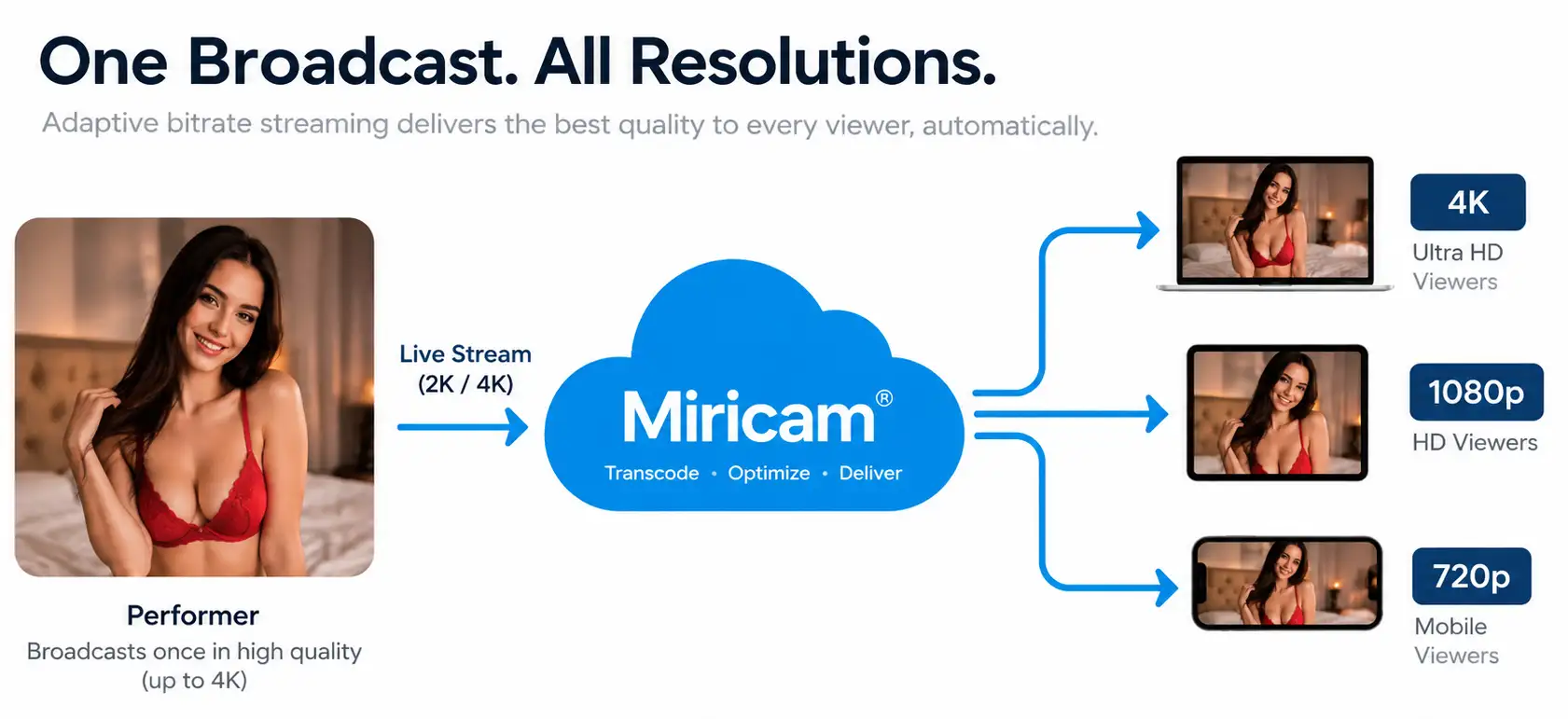
2K and 4K streaming are included and require GPU transcoding on the media server. The server takes the performer's high-resolution stream and re-encodes it into multiple quality levels simultaneously. Viewers with capable connections and screens receive the full resolution; viewers on weaker connections automatically receive a lower-quality variant. This is called adaptive bitrate delivery, and it means the operator does not have to choose between serving high-end viewers and not alienating everyone else.
GPU transcoding is computationally intensive, which is why this feature requires managed hosting with GPU acceleration or a server with a discrete GPU. Without GPU acceleration, the CPU overhead of transcoding at 4K is prohibitive.
Adaptive bitrate streaming means the player automatically adjusts the stream quality based on each viewer's available bandwidth in real time. If a viewer's connection degrades mid-session, the player steps down to a lower bitrate without interrupting the stream. When the connection recovers, it steps back up. This happens without any action from the viewer or the performer.
The alternative, a single fixed bitrate stream, forces an operator to choose: too high, and viewers on slower connections buffer constantly; too low, and viewers on fast connections see an unnecessarily degraded picture. Adaptive bitrate solves this by serving each viewer the best quality their connection can sustain.
Performers can broadcast from a smartphone or tablet using the same browser-based WebRTC approach as desktop. There is no separate app. The performer opens their broadcast dashboard in a mobile browser and goes live. This removes a meaningful barrier for performers who do not have or do not want a dedicated desktop setup, and it enables broadcasting from locations where a laptop is not practical.
Performers who use OBS Studio for their broadcast (for scene switching, overlays, green screen, hardware encoding, or a complex multi-camera setup) can push an RTMP stream from OBS directly into Miricam. This requires additional media server configuration to accept RTMP input alongside the standard WebRTC streams.
For the performer, the workflow is straightforward: connect OBS, go live, and the broadcast appears on the platform alongside browser-based streams. Supporting OBS accommodates performers who have already invested in professional scene, camera, overlay, and encoding setups.
Private sessions can be recorded server-side when the feature is enabled. Stored recordings can feed a tenant-controlled VOD workflow, turning approved live sessions into additional content and potential revenue.
Recording requires appropriate consent from every depicted person. A performer-level recording preference is one product control within that workflow, not a substitute for obtaining and retaining the required consent.
Replay mode allows a performer to broadcast a pre-recorded video file as if it were a live stream. From the viewer's perspective, the stream appears in the directory as an active room. This is useful for performers who want to maintain presence on the platform during times they cannot stream live: scheduled content, promotional broadcasts, or maintaining directory visibility during off-hours.
Replay mode is included. It is a practical tool for solo operators who cannot staff live performers around the clock.
Miricam can ingest streams directly from RTSP-compatible IP cameras, the same type used in security and surveillance applications. This enables a distinct content category: voyeur-mode rooms, where a fixed camera broadcasts a space passively. Viewers subscribe for monthly access rather than paying per minute, because there is no performer on duty whose time is being purchased.
This feature requires additional media server configuration. The voyeur subscription model pairs naturally with it. See the Voyeur mode subscriptions entry under Revenue & Billing.
Miricam tracks stream start, stop, and disconnect events in real time and regularly confirms active sessions against the media service. Performer availability stays aligned with the actual broadcast state, so customers see a dependable live directory.
For operators, accurate room status protects the browsing experience and keeps live-session reporting aligned with the inventory customers can actually enter.
Free chat rooms can be made available to visitors who have not registered, subject to the operator's jurisdiction and tenant-configured access and viewer age-assurance rules. They are the top of the acquisition funnel: eligible visitors browse the directory, click a room, watch the stream, and interact in chat. The goal is to convert a browser into a registered, funded member.
Performers earn a configurable hourly rate for time spent in free chat, separate from tips or private sessions. This ensures performers are incentivised to maintain free chat presence rather than going straight to private: a full, active directory converts better than an empty one.
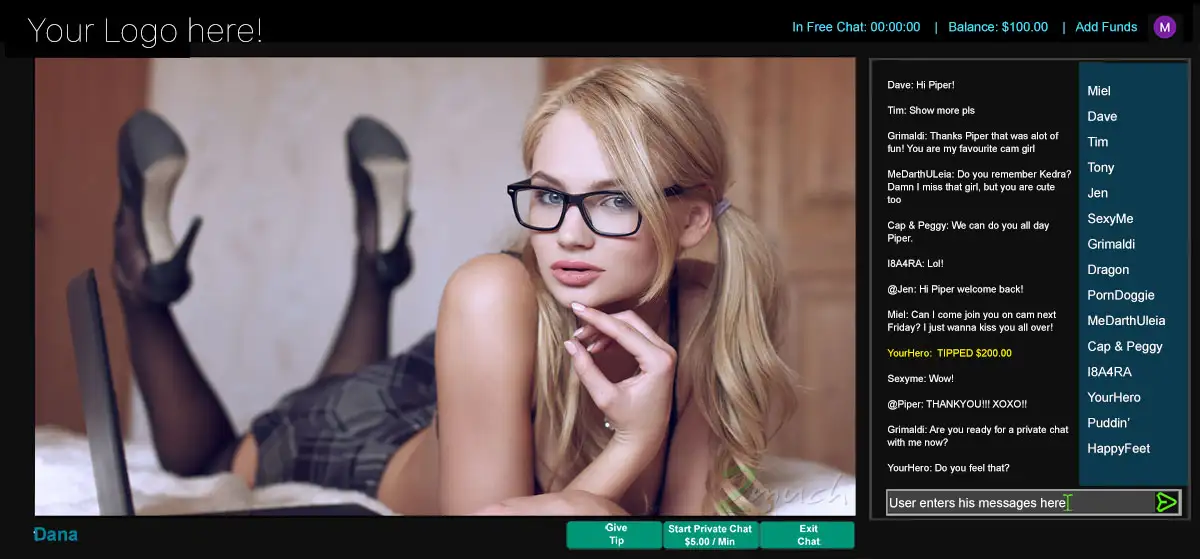
Private 1-on-1 sessions are the core revenue model. A member starts a private session with a performer, and their wallet is debited per second (at 5-second intervals) at the configured per-minute rate. Only that member and the performer are in the room; it disappears from the public directory.
The platform's take is calculated server-side at transaction time using the configured commission split. Neither the member nor the performer can affect the rate. The session ends when the member ends it, when the performer ends it, or when the member's wallet balance reaches zero.
In a group session, the per-minute cost is divided equally among all members in the room. The performer earns at their full configured rate; the cost to each member is that rate split by the number of participants. Site owners set their own per-minute rates for every session type, so the economics scale to whatever pricing model the operator has configured.
Group sessions work well for performers who have built an audience and can reliably fill a room. They generate meaningful revenue while offering members a lower-cost route to an interactive experience than going private alone.
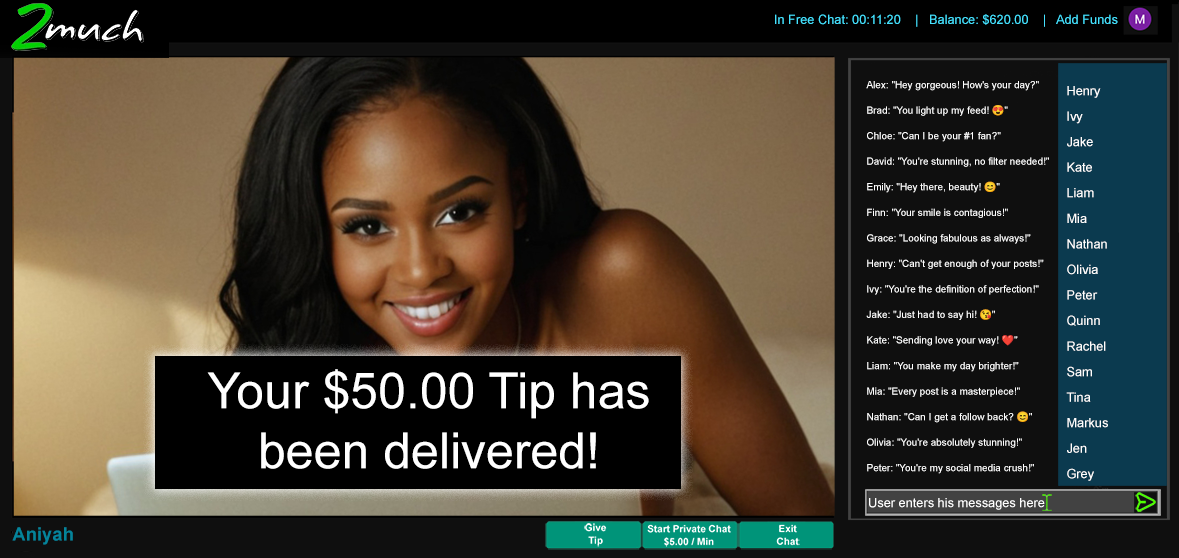
Tipping is available in both free chat and paid rooms. Preset tip amounts ($1, $5, $10, $20) are shown as quick-tap buttons, with a custom amount field available. Tips are processed immediately from the member's wallet and credited to the performer's earnings at the configured split rate.
Tipping in free chat is a significant revenue source for performers who run high-traffic rooms. It also functions as a conversion mechanism: a member who tips in free chat has made a financial commitment to the platform and is more likely to go private than one who has not.
Miricam bills in 5-second intervals rather than whole minutes. A member who spends 35 seconds in a private session is charged for 35 seconds, not a full minute. This is fairer to members and reduces a specific category of dispute: the complaint that a session was billed for time not used.
The practical difference on a typical session is small, but the perception matters. Members who feel they are being billed fairly are less likely to dispute charges, more likely to return, and more likely to trust the platform with additional top-ups.
Performers can be configured to earn a flat hourly rate (between $5 and $100 per hour) simply for being online in free chat. This rate is paid by the platform, not deducted from member wallets. It functions as an incentive for performers to stay online and maintain directory presence.
An active directory with real performers online at all hours converts better than one that is only populated during peak times. The free chat earnings rate is a tool for shaping performer behaviour to serve platform health.
Fan Club subscriptions add monthly recurring revenue alongside the per-minute model. Performers create up to three membership tiers (typically bronze, silver, and gold), each with different perks: exclusive content, discount rates on private sessions, direct messaging access, or priority in group shows.
From the operator's perspective, fan clubs add a revenue stream that does not depend on members actively deciding to go private on any given visit. A member who subscribes to a fan club is billing automatically each month. From the performer's perspective, it creates a relationship with their most engaged viewers that extends beyond individual sessions.
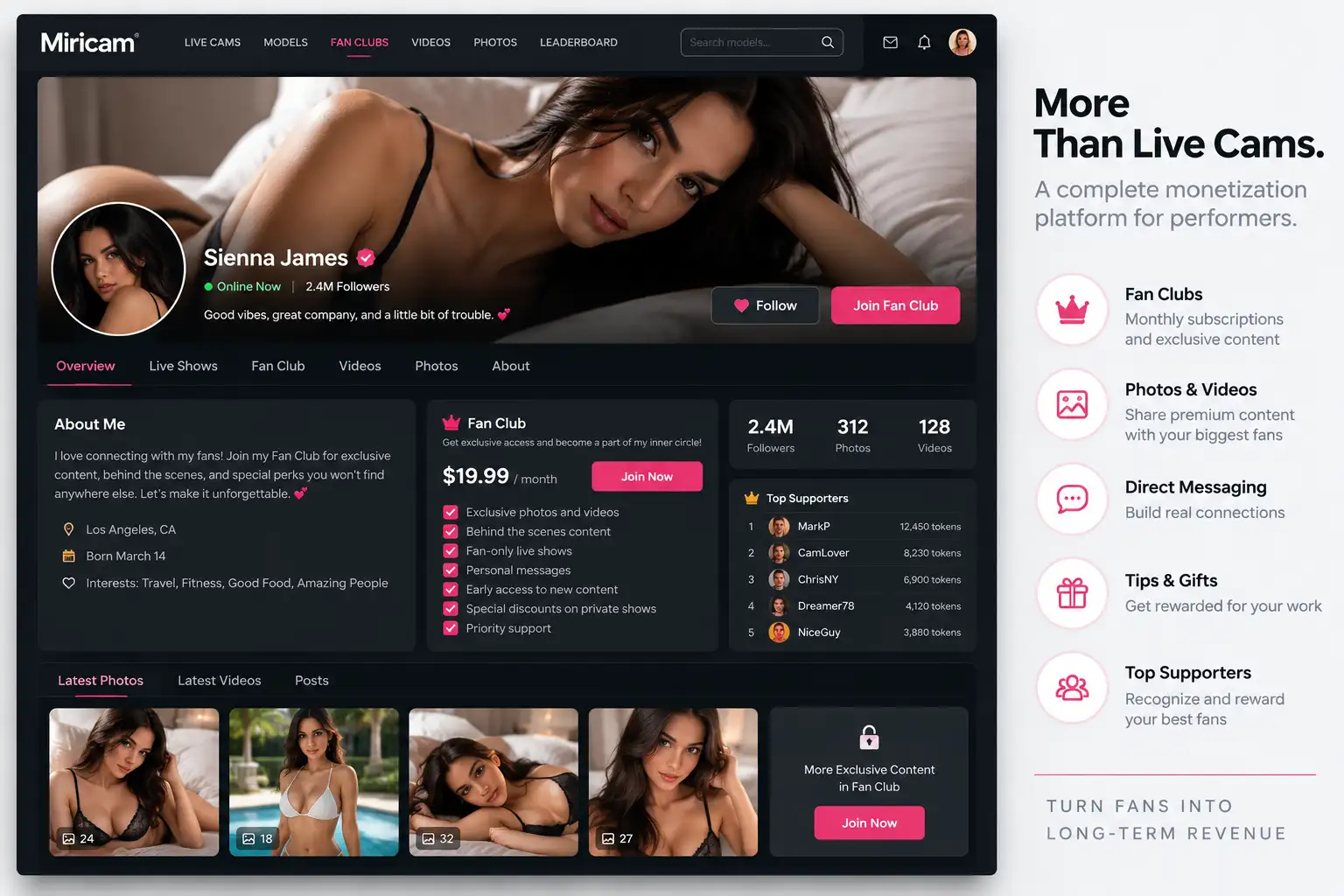
Cam-to-cam allows a member to enable their own camera during a private session. The performer can see the member; the member can see the performer. Cam-to-cam sessions carry a configurable surcharge on top of the standard private rate.
Cam-to-cam is consistently one of the most requested features among members who engage regularly with a specific performer. It changes the dynamic from watching to participating.
Voyeur mode subscriptions are tied to RTSP camera streaming. Members pay a monthly recurring subscription for access to a passive camera feed: a fixed location stream with no performer actively engaging. Revenue is recurring and entirely passive once the camera is configured.
This is a niche product, but it is a genuine one. Certain content categories have an established audience for voyeur-style content, and the subscription model is better suited to it than per-minute billing.
Content feed subscriptions give members recurring monthly access to a performer's full content library. Rather than purchasing individual clips or photo sets, a subscriber pays once per month and can access everything the performer has published.
This is a Netflix-style model applied at the performer level. It suits performers who produce content consistently and want a predictable monthly income from their library, separate from live session revenue.
Miricam uses a prepaid wallet system. Customers add funds to their balance before spending on the platform, avoiding a separate checkout at the start of each interaction. The available balance updates as purchases are made and remains visible throughout the customer experience.
Prepaid balances create a clear distinction between the payment that funds a customer account and the later purchases made from that balance. Operators gain a consistent transaction trail for customer support, reporting, and reconciliation.
Each tenant can operate in Dollars mode or Tokens mode, with Dollars as the default. In Dollars mode, customers see and spend real-currency amounts. In Tokens mode, customer-facing prices and balances use the tenant's token brand throughout chat, tips, fan clubs, videos, bookings, camera subscriptions, FanLink AI, transaction histories, and checkout.
Tokens are strictly a customer spending format. Performer earnings, commissions, contractor invoices, accounting records, performer payouts, and tenant platform settlements remain denominated in real currency. This separation gives operators a branded customer economy without turning tokens into a payout currency.
Changing spending modes preserves existing financial history, allowing a tenant to adjust its commercial presentation without rewriting prior customer transactions or performer earnings.
Tenants can define the token name and display labels, set the exchange value, and create token packages for checkout. The same configuration is used wherever customers view balances or spend, giving the site a consistent branded presentation.
This lets an operator tailor packaging and merchandising to the brand while Miricam keeps the underlying real-currency value available for commissions, accounting, payouts, and settlements.
Token accounting separates purchased tokens from promotional tokens and records purchases, awards, spending, refunds, and redemptions as immutable ledger entries. Customers receive a clear balance and transaction history, while authorized administrators can trace how each balance changed.
Reconciliation reporting ties token activity back to real-currency funding and liabilities. Operators can measure promotional exposure and customer spending without combining token balances with performer earnings or cash available for settlement.
During a live session, the member's wallet balance is displayed in real time and updates every few seconds. When the balance approaches zero, a low-balance warning appears prominently, giving the member time to top up before the session ends. The top-up flow is accessible without leaving the session page.
Interrupting a session because a member ran out of credits is a conversion failure. The warning system turns that moment into an upsell opportunity instead.
When a member's wallet reaches zero, the session ends automatically and cleanly. The member is presented with a top-up prompt. There is no debt accumulation and no awkward negotiation about time owed. Both the member and the performer know exactly where they stand.
Every customer deposit, session charge, tip, subscription, content purchase, booking, refund, and token event is recorded with its amount and time. Customers can review their own transaction history, while authorized administrators can access the corresponding operational record.
A complete history helps operators answer billing questions accurately and reconcile customer payments with later platform spending.
Members can refer new members using a personal referral link. When a referred member registers and funds their wallet, the referring member earns a credit to their own wallet or a cash commission, depending on configuration. Referral fraud detection using IP and device fingerprints prevents members from creating multiple accounts to claim their own referral.
Performers earn a percentage of platform revenue from members they personally referred, for the lifetime of that member's activity on the platform. A performer who sends traffic from their other platforms (social media, other cam sites, fan communities) is rewarded proportionally to the value that traffic generates.
Lifetime commission structures align performer incentives with platform growth. A performer who can earn ongoing passive income from members they brought to the platform has a reason to promote it consistently.
The built-in affiliate system allows external webmasters and promoters to register as affiliates, receive tracking links, and earn commission on member registrations and first deposits they generate. Affiliate commissions are paid from the platform's share of revenue, not from the performer's share. Click fraud and referral fraud detection is built into the tracking layer.
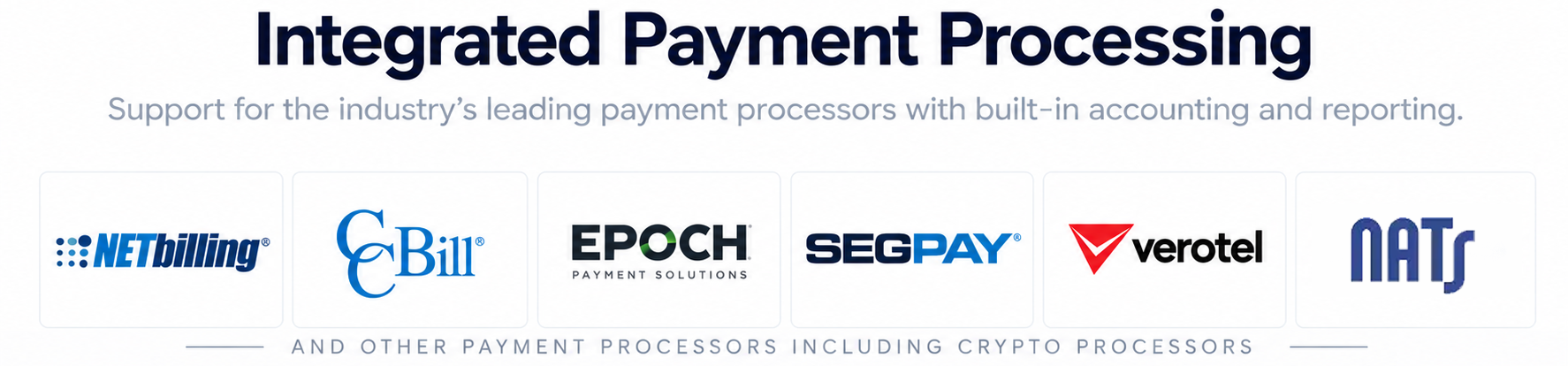

NETbilling is Miricam's primary billing partner. It is a specialist adult billing processor with strong chargeback management tools, an established relationship with card networks for adult content, and a direct merchant account option available through 2MUCH.NET. For operators who do not yet have a billing relationship, NETbilling is typically the fastest path to a working payment integration.

CCBill is one of the largest and most recognisable adult billing processors. Members across the adult internet have seen the CCBill name on their bank statements for decades. It is trusted in a way that newer processors are not. CCBill supports both subscription billing and the pay-per-minute model natively, and its fraud screening is mature.

Epoch is a long-established adult billing processor with particularly strong reach in European markets. It handles multiple currencies and has existing relationships with European banks that make it suitable for platforms targeting non-US traffic. Epoch and CCBill together cover the majority of global adult billing volume.

Segpay is an EU-based adult billing processor. For operators whose primary market is Europe, it offers an established regional processing option; service availability, data-processing terms, underwriting and approval rates depend on the operator's arrangement with Segpay.

Verotel is a European adult billing processor that handles EUR and GBP transactions well. It is used by platforms with significant UK and continental European audiences and offers an additional option for operators who want redundancy across processors.

Payze is a newer adult billing processor with competitive rates. It has been growing its approval rate in the adult space and is included as an option for operators who are evaluating rates and terms across multiple processors.
Miricam supports MobiusPay.com as an available payment-provider integration. Availability, underwriting, processor fees and setup requirements are confirmed with MobiusPay.com and 2MUCH.NET before deployment.
Miricam can be configured to accept cryptocurrency payments. This is an optional integration available for an additional fee; supported currencies, settlement flow, compliance requirements and implementation scope are confirmed before contracting.
No specific cryptocurrency payment processor is included or represented as a standard provider at this time.

NATS (Network of Adult Trade Systems) is affiliate management software widely used across the adult industry. Where an operator already runs NATS, Miricam can integrate with it to handle both affiliate tracking and the payment processing flow in a single system. New member registrations that arrive via affiliate links are tracked through NATS, and commissions are calculated and recorded there.
Token Plus is a rebilling mechanism for returning members. On a member's first top-up, they go through the complete billing processor checkout flow. For subsequent top-ups, Token Plus allows the processor to authorise the transaction using the stored token from the original transaction: fewer clicks, fewer form fields, lower abandonment.
Wallet abandonment at top-up is a real problem. The friction of re-entering payment details on a third-party checkout page, on every top-up, costs operators money. Token Plus reduces that friction for the members most likely to spend: those who have already funded their wallet at least once.
The commission split between the platform and performers is configured site-wide during setup. The default is 70% to the performer and 30% to the platform, but this is fully adjustable. The split applies to all revenue types: private sessions, tips, group sessions, VOD sales, and fan club subscriptions, and is enforced server-side at transaction time.
The split is not a rounding exercise. Every transaction is calculated precisely and logged. Payout calculations are derived from the transaction ledger, not from estimates or manual tracking.
Individual performers can be assigned a different commission rate than the site default. A high-earning performer might negotiate a better split as a retention incentive. A newer performer on a provisional arrangement might start on a lower rate. These overrides are applied per-performer and do not affect any other performer's rate.
Miricam calculates the performer portion and platform portion when an earning event occurs. Payout processing uses those recorded earnings and does not deduct the same commission a second time.
Authorized administrators can review amounts by period and revenue type before approving performer payments. Historical records keep completed payouts distinct from customer payments and tenant settlements.
An immutable performer earning-event ledger records the real-currency value, commission, performer earnings, and tenant share associated with each eligible event. Weekly performer earnings summaries are built from this ledger, creating a consistent source for dashboards, invoices, and payout decisions.
Operators can trace earnings back to their source while keeping performer liabilities separate from customer funds, tenant revenue, and platform fees. This supports accurate commissions even when customers spend branded tokens.
Performers can select ACH, wire transfer, check, PayPal, Venmo, or Cash App when the tenant supports that method. Recipient names are collected to assist accounting verification, and Venmo usernames and Cash App Cashtags are validated before use.
Giving performers approved choices reduces payout coordination while keeping every destination tied to a real-currency payment method. Tokens never serve as a performer payout currency.
Authorized tenant accounting administrators can view performer payout destinations and the recipient information needed to verify a payment. Access remains limited to the appropriate tenant and accounting role.
Payout reports distinguish amounts that are ready, pending, and completed, so operators can manage upcoming obligations without confusing them with customer deposits or tenant platform settlements.
Weekly earnings summaries show performers how their real-currency earnings were calculated across live sessions, tips, content, fan clubs, and other eligible activity. Contractor invoices can be generated from the same earning records.
For operators, consistent summaries and invoices reduce manual preparation and provide documentation that aligns with payout processing.
Customer deposits are processed idempotently, with unique gateway transactions and payment-intent tracking. A processor response can be safely recognized without crediting the same deposit more than once.
Billing workers and other financial jobs run through protected background processes, keeping accounting actions controlled and independent of a customer or administrator leaving a browser page open.
Tenant platform settlement accounting calculates what the tenant owes the platform after customer funding, customer spending, performer liabilities, processor costs, platform fees, reserves, and prior settlement activity are considered.
A dedicated settlement dashboard gives operators a real-currency view of amounts accruing, held, due, and completed. Tenant settlements remain separate from both customer payments and performer payouts.
Operators can account for rolling reserves, payout minimums, settlement fees, and hold periods when planning available cash and settlement timing. Chargebacks are tracked against the related customer payment, with reserve recovery reflected in financial reporting.
These controls help a tenant understand what is collected, what is owed, what is temporarily held, and what can be settled without collapsing distinct financial obligations into a single balance.
Tenant-isolated wallet and token ledgers support balance reconciliation and accounting-integrity checks. Reports separate deposits, customer spending, performer earnings, performer payouts, contractor invoices, tenant revenue, platform fees, reserves, chargebacks, and tenant settlements.
That separation gives operators an auditable view of customer funds, performer liabilities, and business revenue while reducing the work required to investigate a difference between operational and accounting totals.
Performer onboarding separates account creation, email ownership verification, legal identity information, government ID and selfie documentation, public profile completion, and administrative approval into clear steps.
Email verification is handled separately from identity and KYC approval, so each checkpoint has a clear purpose. Operators receive complete applications for review while performers can focus on one requirement at a time.
An authenticated performer returns to the first genuinely incomplete onboarding step instead of repeating completed work. Approved performers with existing compliance evidence can continue from their current status without duplicate account registration.
This keeps onboarding efficient for performers while preserving the compliance records and audit history operators need when reviewing and approving an account.
Every performer must upload a government-issued photo ID before their application is reviewed. The accepted document types are configured at installation and typically include passports, national ID cards, and driver's licences. The document is stored securely and linked to the performer's account for identity-review and configurable 18 U.S.C. §§ 2257/2257A recordkeeping workflows.
When a performer uploads their government ID, they are also asked to provide a selfie. Miricam compares the selfie with the ID photo and presents the result to the authorized administrator alongside the submitted documentation.
This is an efficiency tool for the admin, not a replacement for human review. The AI result flags obvious mismatches, such as a selfie that does not resemble the ID photo, so the reviewer can prioritise their attention. Every application still requires manual approval.
No performer goes live without administrative approval. The review presents email-verification status, legal identity information, available verification results, government ID and selfie documentation, and the completed public profile.
Approval retains the supporting compliance record and audit history. Operators gain a documented decision process without forcing performers who already have approved evidence to repeat account registration.
During profile setup, a performer selects their content categories and interests. Miricam's AI uses these selections to generate a bio and suggest relevant tags. The generated content is shown to the performer as a starting point. They can edit, replace, or accept it.
The practical value is for performers who are not writers. A blank bio field stops many performers at this step. An AI-generated starting point that captures their category correctly removes that barrier and produces more complete, indexable profile text than a performer might write themselves.
US-based performers are required to provide tax information (SSN, EIN, or ITIN) for 1099-NEC reporting. This information is collected during the registration flow, stored securely, and made accessible for year-end reporting. Operators who pay US-based contractors above the reporting threshold are legally required to file 1099s; this system supports that requirement.
Performers switch between four status states from their broadcast dashboard: Free Chat (publicly visible, earning per-hour rate), Group Session (group billing active), Private (1-on-1, room removed from directory), and Offline. Status changes update the directory in real time; a performer who switches to Offline disappears from the active listings within seconds.
Performers can publish a broadcast schedule showing the specific days and times when they plan to be online. The schedule is displayed on their profile with timezone conversion: a viewer in London and a viewer in Los Angeles both see the scheduled time in their own timezone. This reduces the "when are you online?" question that takes up significant time in performer-viewer communication.
Lovense makes Bluetooth-connected adult toys that can be controlled remotely over the internet. Performers can connect their compatible Lovense device to their Miricam stream. Tip events from viewers trigger vibration patterns in the toy; the strength and duration of the response can be configured to match different tip levels.
This is consistently among the most requested features in the cam platform market. It transforms tipping from a financial gesture into a physical interaction, which changes the dynamic of a free chat room significantly. Rooms with Lovense-enabled performers regularly outperform equivalent rooms without it in tips per session.
Performers have an earnings dashboard that shows revenue broken down by type: free chat hours, private session minutes, group sessions, tips, content sales, and fan club subscriptions. They can view earnings by day, week, or month. The breakdown tells a performer not just how much they earned but where it came from.
A performer who earns mostly from free chat tips is running a different business from one who earns mostly from private sessions, even if the total is the same. Understanding the breakdown is the starting point for managing which activities to prioritise.
Performers can add private notes to individual member profiles, visible only to that performer and not to the member or other performers. Notes can capture anything useful: a member's preferred name, a recurring interest, a previous session they mentioned, a particular content request.
Performers who remember details about their regulars provide a meaningfully different experience than those who treat every session as the first. Customer notes make that memory systematic rather than reliant on the performer's recall across potentially hundreds of different viewers.
Each performer's profile displays a leaderboard of their top-spending members. The leaderboard is public; members can see where they rank among a performer's supporters. Some members actively compete for leaderboard position, which drives additional spending. The leaderboard also signals to browsing visitors that a performer has an active, engaged audience.
Performers submit payout requests through their own dashboard. They see their available balance, enter the amount they want to withdraw, and submit. The request appears in the admin's payout queue for review and approval. No email, no support ticket, no back-and-forth required.
This is an operational convenience for both parties. Performers get a clear, predictable process. Admins get requests in a structured queue rather than scattered across messages.
Performers upload images and videos through their dashboard. Each piece of content has a visibility setting: free/public, paid (purchase required), or fan-club-only. Display and access remain subject to tenant configuration, including applicable viewer age-assurance rules. The content library is displayed on the performer's profile and is fully searchable.
Content that sits in a library earns passively. A performer who uploads consistently over time builds a catalogue that generates revenue from their profile page even while they are offline.
Each performer gets a unique referral link and a downloadable QR code. New customers who register through the performer's link are attributed to them. If the performer referral program is enabled, that performer earns a percentage of the new customer's lifetime spending on the platform.
Performers with a social media presence or audiences on other platforms become acquisition channels for the cam site when they share their referral link. The QR code can be included in photos, printed materials, or on screen during broadcasts on other platforms.
The AI performance coach analyses each performer's earnings data and generates specific, data-driven recommendations. Not generic advice about streaming more often, but observations tied to their actual numbers: "Your Tuesday streams produce 40% more per-hour earnings than your Monday streams. Consider shifting your schedule," or "Members who tip in your free chat convert to private at twice the platform average. Consider spending more time building your free chat audience before going private."
The coach runs against each performer's individual data rather than platform averages, which means its recommendations are specific to that performer's patterns and audience.
The performer directory is the primary navigation surface for customers and visitors. It shows online performers with live thumbnails, viewer counts, category tags, and an indication of current room status. Visitors can filter by category, search by name or tag, and sort by various criteria.
An effective directory converts browsers. A directory that is hard to navigate, slow to load, or full of offline performers does not. The directory is updated in real time as performers go online, go offline, or switch between statuses.
Operators can make performer profiles and selected profile information accessible without registration or login. What visitors can view, including any explicit or free content, depends on jurisdiction and tenant-configured access and viewer age-assurance rules.
Where public discovery is appropriate, profiles reduce the barrier to initial engagement by letting eligible visitors learn about performers and the platform before creating an account.
Customer registration includes email verification and secure session handling. The process gives operators a dependable customer account layer for balances, purchases, follows, subscriptions, and transaction histories.
Members who opt in to "remember me" at login receive a 30-day persistent session token. They stay logged in across browser sessions and device restarts for the duration of that period. Returning visits require no re-authentication.
Reducing friction for returning visits matters. A member who has to log in every time they visit has a lower return rate than one who lands on the homepage already authenticated.
Miricam uses device fingerprinting to detect suspicious patterns: multiple accounts registered from the same device, members who have previously charged back, or referral attribution that looks like fraud. Flagged accounts are surfaced in the admin panel for review rather than being acted on automatically.
Device fingerprinting does not replace session authentication. It is a signal layer that helps admins identify risk without requiring every member to prove their identity beyond their password.
Customers can follow or unfollow a performer directly from the performer's public profile and can add a like from the profile statistics area. Follow, like, and displayed count changes appear immediately without requiring a full-page reload.
These lightweight actions help operators turn profile visits into ongoing audience relationships while keeping the customer in control of whom they follow.
Each customer has a dedicated page for viewing and managing followed performers. Customers can revisit the people they chose to follow and remove follows whenever they wish.
For operators, a customer-curated performer list creates a direct return path to relevant profiles without relying on the customer to search the full directory again.
Followers can receive tenant-branded email notifications when a followed performer goes live, updates their profile, adds or changes profile images, or publishes a new video. Messages direct customers back to the relevant performer or content.
Notification delivery is queued and handled in the background, allowing audience outreach to continue without slowing the performer's publishing workflow. Customers retain control through their followed-performer list.
The community wall feed aggregates posts from all performers a member follows and displays them on the member's home screen after login. It functions like a lightweight social feed: updates, announcements, teasers, and schedule reminders from performers the member has expressed interest in.
A feed that shows content even when a member's favourite performers are offline gives the platform a reason for a member to visit when they are not actively intending to spend. That casual visit can turn into a session.
The VOD library allows members to browse recorded content from performers. Each video has a configurable free preview: long enough to establish what the content is, short enough that the full clip retains clear additional value. Purchase happens from the same page; the full clip unlocks immediately from the member's wallet.
From the member side, fan club membership is a subscription to a specific performer's club at a chosen tier. The subscription is billed monthly from the member's wallet or payment method. Different tiers unlock different benefits, configured by the performer. A fan club subscription is a recurring relationship between a member and a performer, managed on the platform.
The member-facing interface is built responsive from the ground up. Chat rooms, the performer directory, wallet top-up, performer profiles, and content browsing all function correctly on mobile browsers without a separate app. This is not a scaled-down mobile view; it is a full-featured interface designed to work on a phone screen.
A significant portion of adult content browsing happens on mobile devices. A platform that does not work well on mobile is not competing for that audience.
A new webcam platform faces a two-sided marketplace cold-start problem. Visitors will not stay on a site with no live performers, while performers have little reason to join a site with no audience or earning activity. Trying to build either side in isolation wastes acquisition effort and can damage confidence in a new brand.
Miricam addresses the initial supply gap with two optional inventory layers: cooperative MBASE syndication between Miricam operators and authorized rooms from supported external cam networks. An operator can therefore begin audience acquisition while recruiting a native performer roster, rather than waiting for one side of the marketplace to exist before building the other.
MBASE is a cooperative performer-sharing network across Miricam-licensed platforms. When syndication is enabled, performers from participating Miricam sites can appear alongside a tenant's own performers. They broadcast from their home platform while viewers on the receiving site can discover and interact with them.
Participating owners retain control over whether they share or receive inventory and how it is presented. Each site controls its own customer-facing commercial settings, while the performer, home platform and receiving platform are compensated according to the MBASE agreement and recorded transaction rules.
The practical value is immediate marketplace liquidity. A new Miricam site can present active rooms while it recruits a native roster, and established sites can fill schedule or category gaps without giving up the ability to prioritize their own performers. Participation can be changed or disabled as the operator's needs evolve.
A tenant can optionally add authorized external cam-network rooms to its available live inventory. The integration is enabled or disabled independently for each tenant, so operators choose whether external rooms fit their acquisition and merchandising strategy.
External rooms can provide broad, round-the-clock coverage during launch and during gaps in the native schedule. They supplement the directory as integrated site inventory; they are not imported into Miricam performer records. This preserves a clear boundary around the operator's native performer community.
Supported external inventory sources include Chaturbate, CAM4 and Stripchat. Miricam uses the applicable authorized inventory or affiliate feed and preserves attribution when a visitor opens an external room. See the external webcam network support guide for the complete launch strategy, controls and commercial boundaries.
The integration supports the attribution available under the tenant's configured provider arrangement. External-provider tokens, paid shows, geographic rules and transactions remain controlled and processed by that provider. Provider availability and terms can change and are confirmed for each deployment.
Tenant administrators can configure affiliate attribution, gender and room filters, a maximum external-room count, the amount of native live inventory required before external rooms appear, and how external rooms are placed on the homepage.
These controls let an operator balance external supply with the site's own schedule, audience, and commercial priorities rather than applying one inventory policy to every tenant.
Native Miricam performers always take priority while they are live. When no native performer is currently live, a tenant can place external rooms ahead of scheduled and offline native performers to keep live choices visible.
This ordering protects the value of the tenant's own live community while giving visitors an authorized live destination during gaps in native availability.
Shared and external inventory is designed to help an operator get through the initial cold-start period, not to create a permanent dependency. As the native roster grows, the operator can reduce external placement, change the conditions under which it appears, or disable external providers entirely.
A mature site can operate using only its own performers if that best serves its business. Moving toward native inventory concentrates traffic on direct performer relationships and can increase operator margin, brand control and ownership of the customer experience.
External rooms open in a tenant-branded viewing page that preserves authorized affiliate attribution. If a browser blocks or unloads the embedded player, the page provides a direct-room fallback so the visitor can continue with the external provider.
Geographic room restrictions remain under the external provider's control and are evaluated using the visitor's request location. Miricam does not override the provider's availability rules.
External performers do not participate in Miricam follows, likes, subscriptions, tips, wallets, tokens, identity verification, accounting, or performer payout workflows. Their rooms remain external-provider inventory even when presented within the tenant's branded viewing experience.
This separation gives operators a clear commercial boundary between native Miricam activity and external-provider interactions. Compliance, content, age-assurance, moderation and transaction responsibilities are allocated between the tenant and external provider under their configuration, services and agreement.
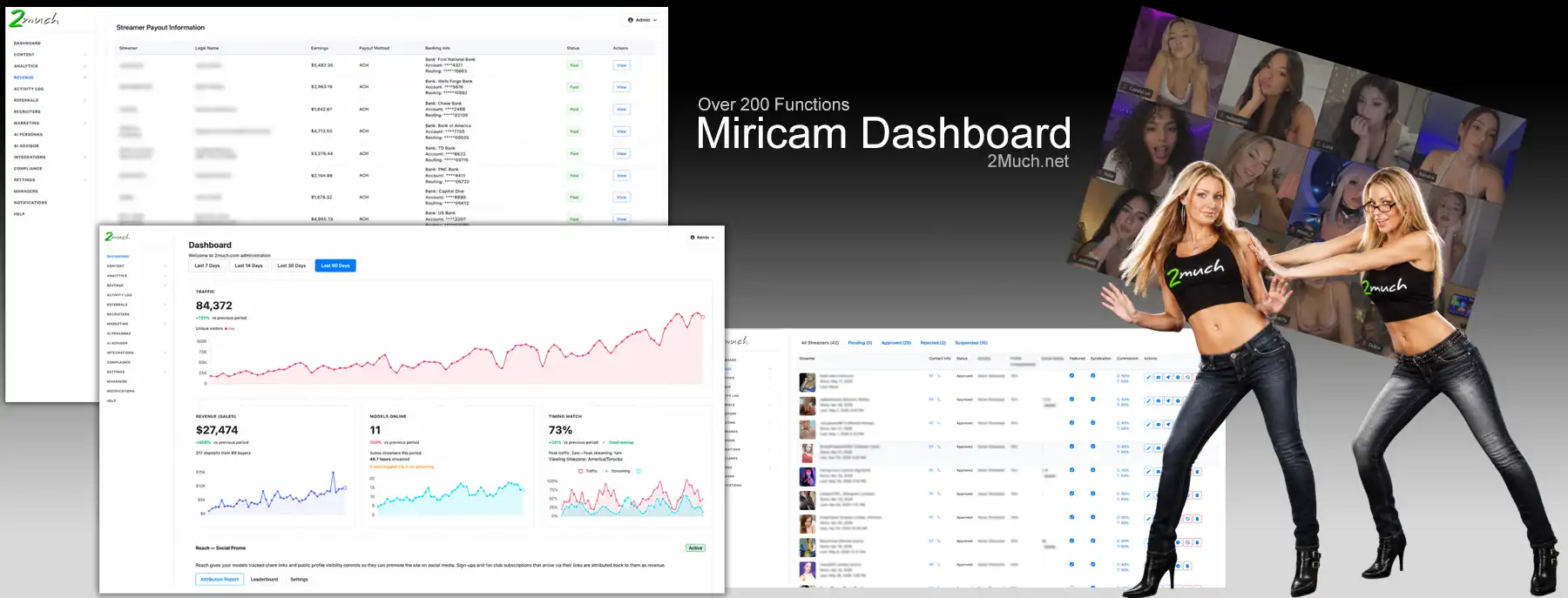
The admin dashboard opens with a KPI panel: total revenue for the period, number of active performers, number of funded member wallets, and traffic trend. These are the four numbers an operator needs to answer the question "is the site healthy right now?" without navigating into detailed reports.
The live stats view shows current active sessions, concurrent viewer counts by room, and the live revenue rate: how much the platform is earning per minute at that moment. This is useful during peak periods to monitor load, and useful during off-peak periods to understand baseline performance.
The application review queue presents pending performer applications one at a time. For each application, the admin sees the AI face recognition result (confidence score and comparison image), the uploaded government ID, the selfie, and the completed profile information. The admin approves or rejects with a single action. Rejected applications can include a reason that is communicated to the applicant.
The full performer roster is searchable and filterable by status (active, suspended, pending), earnings tier, join date, and custom criteria. Bulk actions are available, such as sending a notification to all active performers or exporting a filtered list for reporting.
A performer can be suspended from the admin panel with immediate effect. A suspended performer cannot broadcast, cannot be found in the directory, and cannot log in. The action is reversible with a single click: the account is not deleted, just locked. This is the appropriate tool for situations that require immediate action while a decision is being made.
The payout queue shows all pending payout requests, each with the performer's name, the amount requested, the period it covers, and a breakdown by revenue type. The admin reviews each request, confirms the amount, and marks it as paid. The system records the payment date and method. Historical payout records are retained and searchable.
The chargeback management view shows all received chargebacks with detail: which member, which transaction, which processor, how much, and when. The admin can flag the member account for additional scrutiny, apply a spending limit, or suspend the account. The log is retained for processor reporting.
The user analytics section includes cohort retention curves, tracking what percentage of members who registered in a given week are still active (making transactions) at 1 week, 2 weeks, 1 month, and 3 months. This is the metric that tells an operator whether the platform is retaining the members it acquires, or whether it has a leaky bucket.
Churn visibility at the individual member level allows admins to identify members who are lapsing before they are gone. A member who visited weekly and has not been back in two weeks is a candidate for a retention effort; a member who visited once and never returned is a different problem.
Miricam includes 8 built-in themes (4 light and 4 dark) applied from the admin panel without any technical knowledge required. For operators who want to go further, custom CSS can be injected site-wide. Custom CSS is applied on top of the active theme and persists through software updates.
The operating mode determines what kind of platform Miricam is running: Chat Only (no streaming, just text chat and content), Streaming Only (video rooms without a text chat layer), or Hybrid (both). This allows operators to launch a simpler platform initially, such as a content site without live streaming, and add streaming capability later.
Transactional emails (registration confirmation, application approval, payout notification, low balance alert) are sent through a configurable email provider. SendGrid, Mailgun, and standard SMTP are all supported. Email templates are editable from the admin panel. A platform that sends well-designed transactional emails from its own domain projects professionalism; one that sends from a generic server does not.
Administrators can send messages to all active performers or a filtered subset, such as only performers who have not streamed in the past two weeks. Messages appear in the performer's dashboard notification area. This is the appropriate channel for policy announcements, rate changes, platform events, or operational reminders.
Administrators can query platform data in plain English. "Which performers earned more than $500 last month?", "How many customers funded their wallet but never started a private session?", "What is the average session length on Tuesday evenings?" The system interprets these questions and returns results without requiring specialized reporting knowledge.
This is not a replacement for structured reporting, but it is a useful tool for operators who have specific questions that do not fit neatly into a preset report view.
The tenant administration area groups work into People, Live and Content, Money, Growth, Safety and Compliance, Integrations, Site Settings, and Advanced tools. This workflow-oriented structure helps administrators find the area that matches the task they are trying to complete.
Within Money, labels clearly distinguish Customer Billing, Payment Gateway, Pricing and Commissions, Performer Payouts, Tenant Settlements, and Business and Banking. The terminology keeps incoming customer payments, outgoing performer payouts, and platform settlements visibly separate.
Dashboard shortcuts provide direct access to common operational tasks such as reviewing performer applications, monitoring money movement, managing customer engagement, and adjusting tenant settings.
The existing compact sidebar remains available for administrators who prefer a denser navigation view, preserving a familiar option alongside the workflow hubs.
Administrative reports cover followed performers and follower notifications, token accounting, performer payout destinations, and tenant settlements. Financial views separately report customer deposits, customer spending, performer earnings, performer payouts, contractor invoices, reserves, chargebacks, and tenant platform settlements.
Keeping these activity types distinct helps operators answer operational and accounting questions without treating all money movement as revenue.
The revenue planner combines configured processor fees and performer commissions to estimate the margin available to the tenant. Operators can compare pricing assumptions before making commercial changes.
The result is a planning view, not a replacement for settled accounting, giving tenants a practical way to understand how fees and commissions affect expected margin.
Authorized tenant administrators can manage customer spending mode, token presentation, external cam-network inventory, and applicable Yoti and Cloudflare Turnstile settings from their dashboard.
Per-tenant configuration lets operators enable the tools appropriate to their audience and compliance approach without imposing the same choices on every Miricam installation.
Every performer profile and community wall post gets an AI-generated title tag and meta description. The AI (2Much Colossus, a model trained specifically for adult platform SEO) produces tags that describe the actual content of the profile: the performer's category, their specific attributes, and the type of content they offer.
Generic meta tag templates produce generic search results. A performer directory where every profile has a unique, accurate, and search-intent-matched meta tag is a different SEO proposition from one where every profile shares a variation of "Join [Performer Name] on [Platform Name] for live cam shows."
With Google Search Console integration, meta tag A/B testing runs automatically. Two variants of a title tag or description are generated; GSC data is monitored to determine which variant produces better click-through rates from search results. The winning variant is retained. This runs at scale across the entire performer directory without manual intervention.
When a page's GSC data shows declining impressions or click-through rate below a configurable threshold, the re-optimisation system triggers automatically. It generates new meta tag variants for the affected page and applies them. The system then monitors whether the new tags improve performance. This is a closed-loop SEO optimisation process that runs without the operator having to monitor individual page performance.
The Google Search Console integration pulls real search performance data (impressions, clicks, average position, and click-through rate) for every indexed page on the platform. This data is used by the AI meta optimisation system and by the automatic re-optimisation trigger. It is also available in the admin reporting area for operators who want to monitor search performance directly.
Miricam generates an XML sitemap dynamically. When a new performer is added and their profile is published, it appears in the sitemap on the next generation. When a performer is suspended, their profile is removed from the sitemap. The sitemap is submitted to Google Search Console automatically. New profiles are crawled and indexed faster as a result.
GA4 integration tracks the full member journey as events: page views, performer profile views, video plays, registration, wallet top-up, session start, and session end. These events can be used to build conversion funnels in GA4 to understand where in the journey visitors drop off, which performer profiles convert best from view to session, and which traffic sources produce members who actually spend.
When a performer who has connected their Twitter/X account goes live, an automatic tweet is sent. The tweet announces the performer is live with a link to their room. Performers with existing Twitter followings become a traffic source for the platform without needing to remember to post every time they stream.
Across a platform with many performers, this creates a persistent presence in the social media feeds of audiences that are already interested in the category. The aggregate effect is significant for platforms where performers have meaningful followings.
Community wall posting allows performers to publish updates, announcements, and teasers to a feed. Members who follow a performer see these posts in their community feed. The wall functions as a lightweight social layer; performers can maintain a presence and communicate with their audience between live sessions.
Operators can configure performer profiles, directory pages and suitable community content for public discovery and search indexing. Public access to explicit content remains subject to jurisdiction and tenant-configured access and viewer age-assurance rules.
Indexable profile information can generate long-tail keyword coverage organically through performer bios, tags, schedules and suitable community posts. At scale, this gives platforms a substantial organic footprint while preserving tenant control over which pages and content are publicly available.
Custom tour pages are configurable landing pages designed for specific acquisition campaigns. An operator running paid traffic to a specific content category can create a tour page with custom copy, images, and calls to action that speaks directly to that audience, without modifying the main site. Affiliates can be given dedicated tour page URLs with their tracking code embedded.
A separate performer recruitment landing page is built into Miricam with its own copy and calls to action for people interested in performer opportunities rather than people looking to watch live shows. The two audiences have different search behaviours and conversion paths, and dedicated presentation lets an operator address each one clearly.
ViewerIQ is Miricam's customer intelligence layer. It analyses each member's spending behaviour and engagement patterns and classifies them into segments: Browser (registered but not spent), New (first purchase made), Regular (recurring spending, predictable pattern), VIP (high spend, strong engagement), and Whale (top-tier spenders).
Segmentation matters because different segments respond to different approaches. A VIP member who has not been on the platform in two weeks is a churn risk worth acting on: a bonus credit offer or a notification that their favourite performer is online. A Browser who has never spent is a different problem entirely. Treating all members identically wastes retention spend on members who were never going to convert and under-invests in members who are genuinely valuable.
ViewerIQ's churn prediction model monitors each member's engagement patterns and flags members who show early signs of disengagement: reducing session frequency, shorter sessions, longer gaps between visits. These flags appear in the admin panel before the member has actually churned.
The window between "starting to disengage" and "gone" is the only window available for retention. A bonus credit, a notification that a followed performer is online, or a personalised message can extend a valuable member relationship significantly if applied at the right moment. Applied after the member has already left, it cannot.
Lifetime value tracking calculates per-member LTV from the complete transaction history. This data is useful for understanding acquisition efficiency: if a traffic source produces members with a 90-day LTV of $15, and another produces members with a 90-day LTV of $80, that difference should inform where acquisition spend goes.
LTV tracking also surfaces which performer-member relationships drive the highest long-term value, identifying which performers attract and retain the most valuable members, with direct implications for who to feature, incentivise, and retain.
Virtual User Load Testing lets an operator exercise room, chat, presence, tipping, and concurrency workflows in a non-public staging environment before a launch or major release.
Test identities are clearly flagged, excluded from production viewer counts, revenue, analytics, and social proof, and must not be presented to customers or performers as genuine activity.
AI Vision Testing evaluates GPU-accelerated stream analysis and context-aware moderation workflows against controlled staging streams. It is a quality-assurance tool for administrators, not a way to simulate public engagement.
The anomaly detection layer monitors platform metrics and flags unusual patterns as admin notifications. A sudden drop in revenue from a specific processor might indicate a billing integration issue. An unusual spike in chargebacks from a specific performer might indicate a compliance problem. A traffic pattern that does not match historical norms might indicate a bot traffic injection.
These are the kinds of signals that get missed in manual monitoring. The anomaly system brings them to the operator's attention without requiring constant dashboard observation.
Revenue prediction uses historical platform data (seasonal patterns, day-of-week trends, performer activity cycles) to project future revenue. The projections are not precise, but they are useful for capacity planning and for identifying when actual performance is diverging significantly from what the historical pattern would suggest.
The AI identity verification system compares a performer's selfie with their government ID photo and presents a confidence result and comparison to the authorized administrator. Clear results help reviewers focus attention where it is most useful.
This is not a replacement for the admin's judgment. It is a tool that makes the review faster and flags the cases that most need human attention.
AI profile autofill generates a performer bio and tag suggestions from their selected categories during registration. The generated text is editable; it is a starting point, not a final product. The practical value is removing the blank-page problem: performers who would otherwise write nothing, or write very little, produce a complete profile because the AI gave them something to work from.
The AI performance coach analyses each performer's individual data (stream times, room type usage, session lengths, tip patterns, content upload frequency) and produces specific recommendations. It does not offer generic advice. If a performer earns consistently more on Tuesday evenings than any other time, the coach notes it. If their free-to-private conversion rate is below the platform average, the coach identifies it and suggests approaches.
The coach runs on real data from that specific performer's history, not platform-wide averages. Its recommendations are relevant to the individual, which is what makes them actionable.
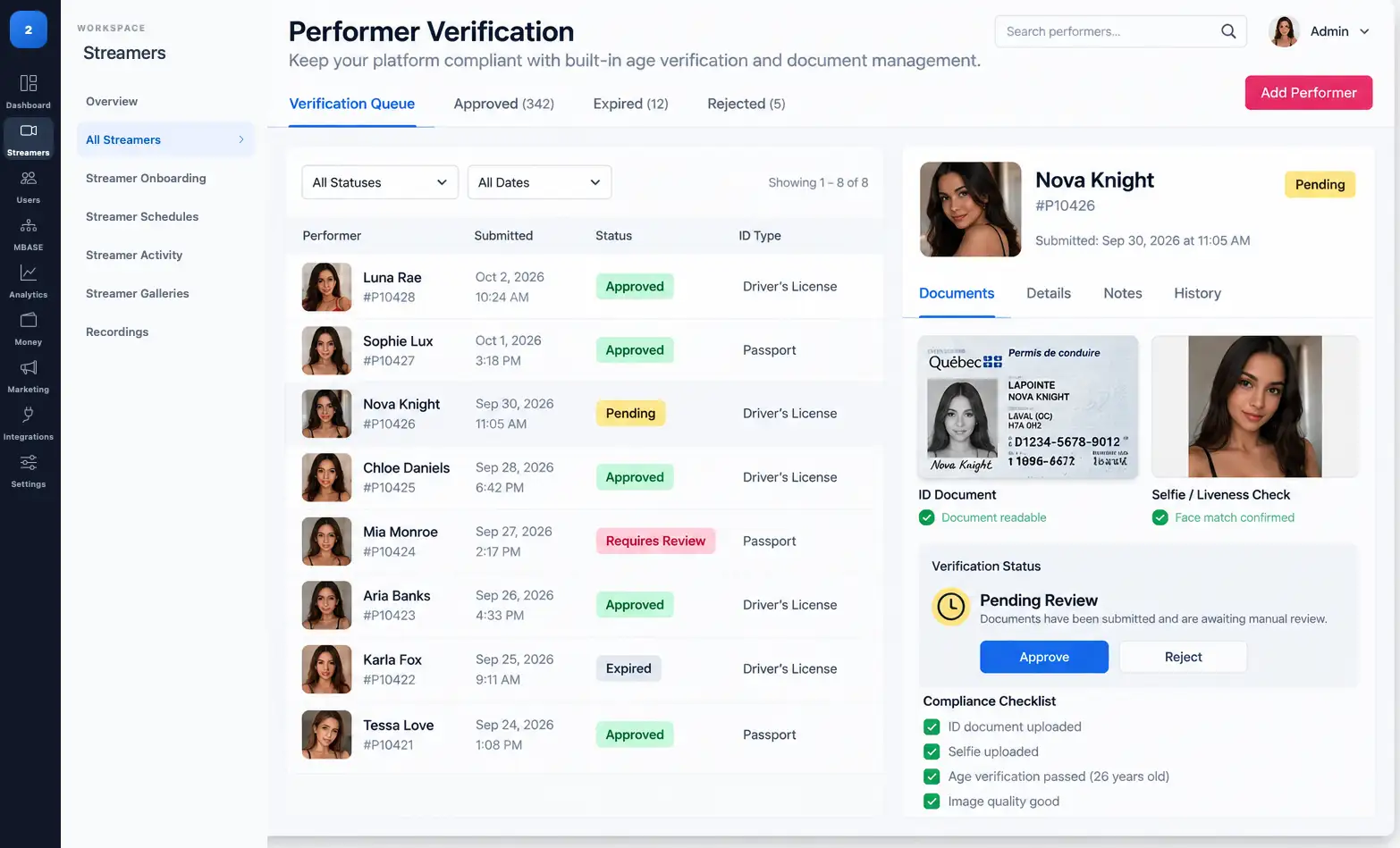
Miricam provides configurable tools for 18 U.S.C. §§ 2257/2257A recordkeeping workflows, including indexed performer identity and age records, links between records and relevant performers or content, access logging, and custodian administration.
Tenant-configurable custodian fields and statement-page templates support each operator's chosen workflow. These tools support operator compliance administration but do not by themselves establish legal, regulatory, card-network or processor compliance. Operators remain responsible for their policies, configuration, staffing, records, legal obligations and processor requirements.
The DMCA takedown workflow gives admins the tools to respond to copyright complaints: locate the content, remove it, and log the action with a timestamp, description of the removed content, and the basis for removal. The log is retained for the operator's records.
A documented, repeatable DMCA response process is a practical necessity for any platform that hosts user-uploaded content. The alternative, ad hoc responses with no record, creates legal exposure if a complaint escalates.
Miricam provides tenant-configurable page templates and publishing workflows for materials such as Terms of Service, Privacy Policy, a Custodian of Records statement and moderation policies. Operators supply, review and maintain the content appropriate to their business before publication.
Cloudflare Turnstile is available as an optional verification layer and is configured per tenant. Tenant administrators can manage the applicable setting from their dashboard instead of requiring the same choice across every platform.
Operators can enable Turnstile when it suits their registration and form-verification approach, while tenants that do not need it can leave it disabled.
Centralized cross-site request forgery protection covers state-changing browser requests. Sensitive actions require a valid request context before Miricam accepts a change.
For tenants, this provides a consistent protective layer across administrator, performer, and customer workflows without adding friction to ordinary browsing.
Secure session handling protects customer, performer, affiliate, and administrator access. Session controls are applied consistently across roles and are designed to keep authenticated activity within its intended account context.
Customers, performers, affiliates, and administrators use separated authentication and permission contexts. A customer session does not grant performer access, and a performer session does not grant administrative access.
Clear role boundaries allow operators to offer self-service tools to each audience without exposing unrelated functions.
Administrative, financial, and compliance actions require both the appropriate role authorization and ownership by the active tenant. Sensitive records and actions remain scoped to the tenant that owns them.
This is especially important for payout destinations, performer compliance evidence, token accounting, and tenant settlements, where authorized access must remain both role-specific and tenant-specific.
Referral fraud (creating multiple accounts to claim referral bonuses, or sending fraudulent traffic to generate affiliate commissions) is detected using IP address and device fingerprint matching. When a new registration matches the fingerprint of an existing account, or when referral patterns match known fraud signatures, the attributed commission is voided pending admin review rather than being paid and then reversed.
Miricam provides configurable content-reporting, moderation-review, complaint and removal logging, and policy-page workflows that can support an operator's DSA and similar compliance administration. Operators decide which requirements apply and configure, staff and operate the workflows for their service.
Yoti is available as an optional third-party viewer age-assurance integration, subject to tenant configuration, the operator's Yoti service and the deployed integration. It can add an external assurance result to the visitor access workflow.
Viewer age assurance is separate from performer identity verification. Performer onboarding uses its own government-ID, selfie, review, recordkeeping and approval workflows whether or not the tenant enables Yoti for viewers.
Each site has an administrative payment processor EDD/KYC submission workspace for documenting its authoritative company identity; operational and compliance responsibilities; policy review and approval; 2257 recordkeeping confirmation; viewer-access strategy; processor review status and correspondence reference; and processor-facing DOCX and self-contained HTML exports.
The workspace prepares and tracks the operator's submission materials. It supplements Miricam's supported payment processor integrations and does not represent approval by any processor.
Operators can document one of four viewer age-assurance strategies: independent age verification for every visitor; independent age verification where required, with an 18+ self-declaration elsewhere; blocking every listed age-restricted jurisdiction, with an 18+ self-declaration elsewhere; or not yet determined. A self-declaration is not represented as satisfying laws that require independent age verification, and a payment card is not treated as proof of age.
For the regional-exclusion documentation option, the workflow records selected jurisdictions; the geolocation and enforcement method; operational and testing dates; coverage of public pages, authenticated routes, registration, checkout, APIs, embeds and direct media; fail-closed handling for unknown locations; testing and evidence notes; and the payment processor's review status. It does not represent regional blocking as approved by a payment processor.
Important scope: The workspace documents and checks the completeness of the operator's selected strategy. Geographic blocking and third-party age-verification services require separate technical configuration and testing. These tools do not independently establish legal, regulatory, card-network, or processor compliance.
Viewer controls do not replace performer identity, age, consent, or 2257 workflows. Yoti remains an optional third-party service and must be configured separately when an operator chooses to use it.
Tell us your domain and your expected traffic. We will give you a straight answer on whether Miricam is the right fit.