Virtual Users
AI-Powered Chat Engagement
Keep your chat rooms active and your streamers engaged. Virtual Users creates the atmosphere that retains real viewers and keeps models streaming.
Keep your chat rooms active and your streamers engaged. Virtual Users creates the atmosphere that retains real viewers and keeps models streaming.
Empty chat rooms kill webcam platforms. When a real viewer enters a room and sees no activity, they leave—just like walking into an empty nightclub and turning around. When a model streams to silence for too long, she gets discouraged and logs off. Both sides need the other to stick around, but neither will wait. This chicken-and-egg problem can stall a new platform for months or sink it entirely.
Virtual Users breaks this cycle by ensuring there's always activity in your chat rooms. Powered by Colossus AI, virtual users read the conversation, understand context, and participate naturally. They react to what's being said, engage with models, and create the kind of lively atmosphere that makes real viewers want to stay and join in.
Virtual Users is designed as a temporary growth tool, not a permanent fixture. As your platform attracts real traffic, you gradually reduce the automated presence. The goal is to retain real users long enough to build genuine momentum—once organic engagement reaches critical mass, you step back and let your actual community take over.
Virtual users appear in chat rooms just like real viewers. They enter at natural intervals, stay for varying amounts of time, and participate in conversations. The AI reads recent messages to understand what's happening in the room, then generates responses that fit the context. Response timing mimics human behavior—no instant replies that feel robotic.
Each virtual user has a distinct persona with unique personality traits. Some are chatty regulars, others are flirty, some act like big spenders talking about tipping, others are shy and only occasionally comment. This variety creates realistic room dynamics where different "people" interact in different ways.
You control how many virtual users appear in each room, when they're active, and how they behave. The system includes recommendations based on your platform's size—new sites benefit from more activity, while established platforms need less support. Everything is configurable through the admin dashboard.
The right level of virtual user activity depends on where your platform is in its growth cycle. The system provides configuration recommendations based on your situation, but you have full control to adjust as needed.
0-5 streamers
Higher activity levels to create immediate engagement and help early streamers feel supported
5-20 streamers
Moderate activity that supplements growing organic traffic without overwhelming it
20+ streamers
Light support during off-peak hours when real traffic naturally dips
Strong organic engagement
Minimal or disabled—your real community provides genuine engagement
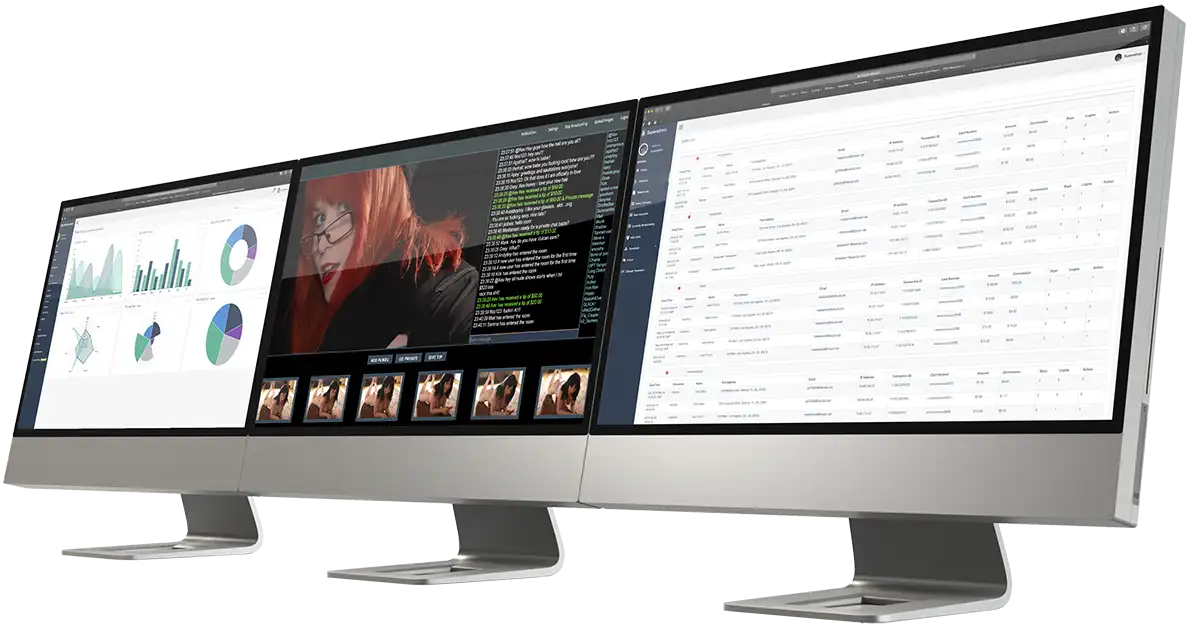
The admin dashboard gives you complete visibility and control over virtual user activity. Monitor what's happening in real time, adjust settings on the fly, and review analytics that clearly separate automated engagement from organic traffic. You can enable or disable virtual users per room, by streamer, or platform-wide with a single click.
Virtual users are marked as such in admin interfaces, but appear as normal participants to streamers and viewers. They cannot perform financial transactions—no tipping, no joining paid shows, no purchasing credits. Your revenue metrics always reflect real customer activity.
Virtual Users is a bootstrapping tool for new platforms facing the cold-start problem. It's not meant to replace real community building—it's meant to buy you the time to build one. The most successful approach is to start with higher activity levels, then gradually reduce as organic engagement grows.
We recommend monitoring chat activity regularly during initial deployment to ensure the AI-generated conversations feel natural for your specific platform and audience. The system includes a testing mode for rapid configuration before going live.
Virtual Users is available with Miricam Pro and Enterprise plans. Contact us to learn more about implementation for your platform.